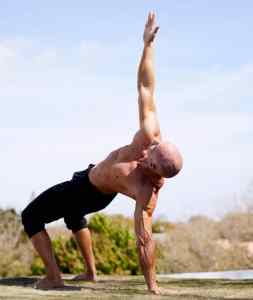
 Mark Lauren creates the best bodyweight strength workouts out there. So, when I injured my right shoulder and decided to take a break from lifting weights, Mark’s workouts were the obvious choice. I have all of his DVDs and books, and he has a lot of workouts on YouTube as well, but there is so much more on his app. He has programs for every fitness level. From someone new to exercise, someone who is recovering from an injury, intermediate and advanced workouts. You can approach his app in so many ways. He creates a rotation for you every week you can follow. Or you can do one of his programs. There are quite a few and of all different levels. He has also created a lot of stand alone workouts so you can create your own rotations. You can also pick and choose workouts from within the programs to use as part of a self-created rotation. Here is a trailer Mark created about himself and his app.
When I started using his app in April, I started by combining his 9 Minute Workouts with his Bodyweight Training 2.0 workouts. The 9 Minute Workouts are based on an excellent book he wrote. The idea is that you can get or stay in shape doing one 9-minute full body strength circuit every day. The 9-minute circuit is made up of 3 exercises that you repeat 3 times. This 9 minutes does not include a warmup or cool down/stretch. In the book, he recommends a one minute warm up and a stretch that lasts about 2 minutes. Using the book, your total workout time is 12 minutes. I work out for longer than 9 minutes each morning, so I stacked them. I did four 9-minute circuits plus a warmup and stretch. I also did longer warm ups and stretches than what the book recommends. Like everything else Mark does, he gives exercise tutorials. So, the first 1-2 minutes of each 9-minute circuit is exercise tutorials. With the warmups and stretches I added, my workout time was about 55 minutes. Within the 9 Minute program there are 3 levels and 12-14 workouts within each level. I spent in a month in Level 1. They were all excellent workouts that combine strength and mobility and definitely hit every muscle in your body. I was sore in muscles I do not recall ever being sore in! Mark also sometimes gives easier and harder versions of exercises. So, on the lower body exercises, if you want to add a dumbbell, that is available for you. I started using dumbbells for some of the lower body exercises. For level one, all of the exercises are done for 40 seconds followed by a 20 second rest. I spent 4 weeks in level one before advancing to level 2. Level 2 contains many of the same exercises while taking some of the exercises to a more advanced level. But what really kicked my @ss was how the interval times changed: 45 second of work with 15 seconds of rest for about half of the 9 minute circuits and 50 seconds of work with 10 seconds of rest for the other half. It kicked my butt. I did about 3 weeks of level 2 before deciding to try some of Mark’s other workouts. So I have not yet done level 3 workouts and I don’t know that I ever will. Level 2 was challenging enough for me. The 9-minute workouts are broken down into floor circuits and strength circuits. For the floor circuits all you need is a fitness mat. For the strength circuits you will also need some other equipment to do Let Me Ups, Let Me Ins and one-legged squats. A chair or bench for the squats. For the Let Me Ups and Let Me Ins, there are a lot of ways you can do them, the most basic being using a door handle and towel, and a sturdy table. I used my Fit Tower for Let Me Ups and for Let Me Ins I used a yoga strap around my weight rack.
I mentioned I also did Bodyweight Training 2.0, which I did on alternate days. I did the 9 Minute workouts 4 days a week and Bodyweight 2.0 three days a week. Bodyweight 2.0 is a very functional strength and mobility program. It is based on his DVD program which I have already reviewed. The DVD program is all level one workouts. His app version is so much more. It contains 5 levels and it gets really hard. Level one felt like good and effective recovery day workouts, but as you advance up the levels it gets very challenging. The structure of these workouts is stacks. He creates a circuit where each exercise is done a certain number of reps. Everything is done on one side of the body then repeated on the other side of the body then you move on to the next stack. No equipment is needed for these workouts; just a fitness mat. I got up to level 3 before I decided to move on to some of his other workouts. These were supposed to be recovery day workouts and level 3 did not feel like recovery workouts! If you want more info on the types of exercises and the nature of a “stack”, check out my review of the DVD program.
Which brings me to what I am currently doing. I am doing his strength workouts. He has them broken down into lower body, upper body, full body and core. Within each category there are a lot of workouts ranging from a single 5–7-minute circuit (so you could stack some and create your own), to 30–50-minute workouts. I am really enjoying these workouts. They use more equipment than the 9 Minute workouts. In addition to the equipment used in the 9 Minute workouts, you also need a pull up bar, a bench and dumbbells. Dumbbells are not used for a lot of the exercises, but they are used. Because Mark Lauren advocates for bodyweight training, he always gives a bodyweight version. During the tutorials he always shows multiple versions of the exercises: easiest, intermediate and advanced. Because of this, some of the tutorials are longer than in his other workouts. He mixes training methods in these workouts. Usually ladders, supersets and intervals. I am currently doing these 4 days a week (lower body on Monday, upper body on Tuesday, full body on Thursday and Saturday; in between I do rebounder cardio and mobility workouts).
There is more! He has tons of warmups and stretches. The warmups are anywhere from one minute to 10 minutes. The stretches are anywhere from 2 minutes to 13 minutes. He does not add the warm up and stretch to all of his workouts. Its kind of hit or miss. Bodyweight 2.0 always has a warm up and never a stretch. 9 Minute workouts have no warm up or stretch. The strength workouts have warm ups but no stretch. I haven’t done anything else so I can’t speak for those. He also has 3 long strength workouts that are 25-37 minutes long.
How does this work? You can access and look at everything on your computer but you need the app for planning. I have it on my iPone and my iPad. You create playlists on the apps and stack the workouts. I have a playlist for each day of the week. As an example, when I started doing the program, for Monday I would choose a warm up, then chose the four 9 Minute circuits I wanted then choose a stretch. Then all you do is hit play for the first workout (the warm up) and plays all the way through to the stretch. I use airplay and send it to my TV. I have not done anything as a program, but they each a “Start Program” button. I assume when you hit that, it schedules your workouts for you and you just go into the program each day.
Those are the workouts that I have done so far, but there is more! Multiple easier programs. Calisthenics workouts that look tough–kind of like bootcamp no repeat workouts. They are all approximately 20 minutes (no warmup or stretch) and each exercise is done for 60 seconds followed by a 10 second rest. I plan to try those. They appear to give you full body cardio, strength and mobility work with minimal equipment.
His 90 Day Program is on here. I did that program on DVD several years ago and wrote a long post about it. It was tough. I do remember I got really tired of the same warm up and stretch. Well, bonus–not only does he have more warm ups and stretches unique to the 90 Day Challenge than what is on the DVD program, but once you get sick of those, swap them out with one of the many other warm ups/stretches also available on the app. All of his other DVD workouts are also on the app. Finally, he has put together 3 longer sport specific workouts (45-52 minutes) for running, swimming and agility.
Nearly every workout gives you the breakdown below the video telling you the exercises that will be performed and, if it is interval based, it tells you the length of the intervals and rests. Even though the majority of the workouts have exercise tutorials, the app also includes a large library of exercise tutorials. So if you are looking at a workout breakdown and are not familiar with the exercise, you can go to the tutorials to get a detailed explanation and visual example.
What does it cost? $14.99 a month or $119.99 a year. He usually has sales for the yearly subscription throughout the year. I signed up several years ago during a special and I believe it was something like $79 or $89. This time I paid full price. I think it is worth it.
